
Good news virtual reality fans, you can now listen to your Spotify and SoundCloud playlists inside the Oculus experience. Since getting the GearVR, there’s been a slew of new apps, both free and paid, arrive in the Store for download. One new app experience is called GROOVR (a play of groove and vr).
GROOVR lets you experience music in a very new way. The app reminds me of the music visualisation apps on the desktops during the 90s, Winamp, MusicMatch Jukebox to name a couple. Instead of seeing them on the standard 2D plane, these music visualisations surround you in full 360 degrees, thanks to the GearVR and Oculus.
A simple swipe on the control pad will let you cycle through different options and there’s plenty of room for them to roll out more to users (likely a blend of free and paid).
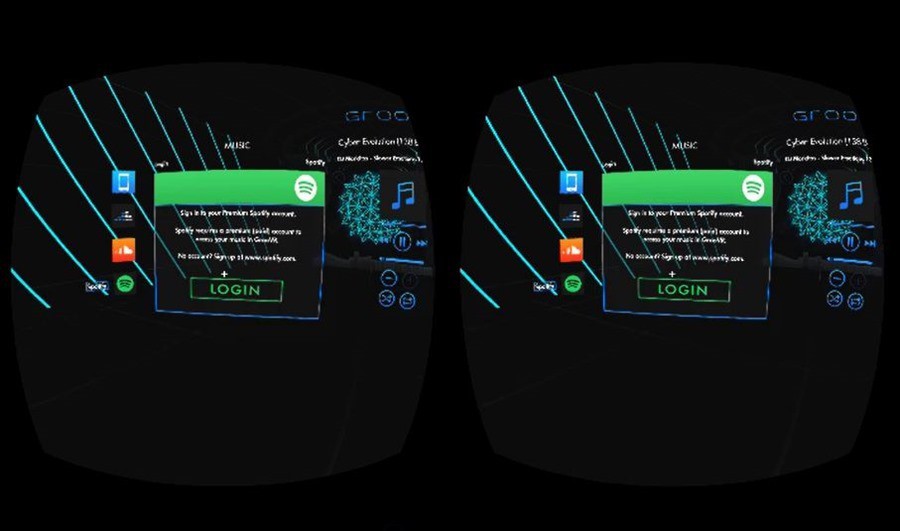
The best feature of this app by far is the ability to connect your music services like Spotify and SoundCloud so you can listen you your favourite music as you enjoy the virtual world.
Unfortunatley you can have this music play in the background while you jump into other VR apps, a current limitation of the silo’d model of the Oculus store.
That issue aside, its actually really enjoyable to be immersed in your music and the virtual world react in time with the beats of the music.
Its incredibly easy to imagine a music performance being delivered live in VR and given the first tracks I experienced in VR were electronic, the mind immediately jumped to the likes of Deadmau5.
If you don’t have an account with SoundCloud, you can absolutely browse a large range of pre-built playlists and even select based on the mood you’re in. Spotify on the other hand will require the step of giving Groovr permission first. You can do this on the Spotify website and the GearVR is treated like a device, so will require a premium account. Thankfully Spotify currently have a special to get 3 months for just a dollar.
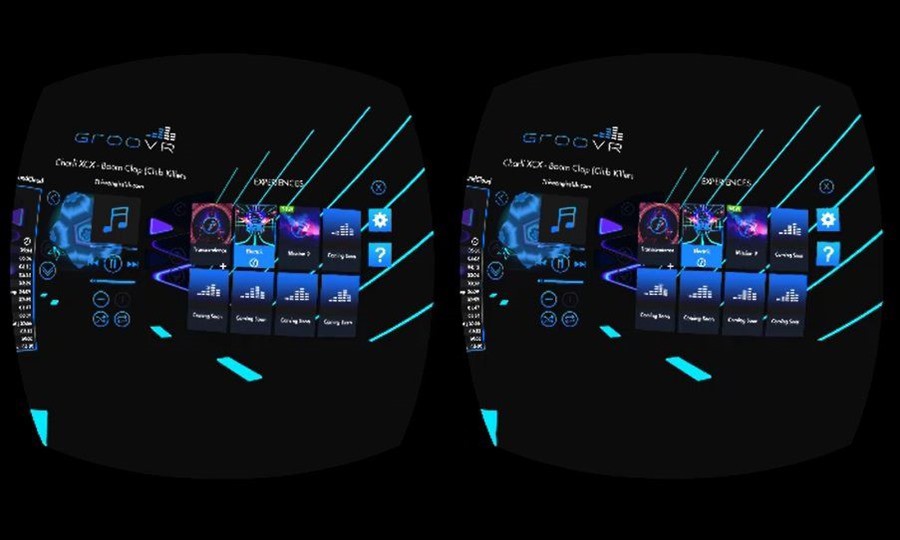
Inside the app, you’ll also find play, pause, skip, shuffle options, like you’d expect in any music playback environment, as well as the ability to play your own music stored on your device. Groovr, you’re on to a winner here. If you have a GearVR, make sure you check it out, it’s free, so get after it.